
A workbench for making circuit boards with Claude Code.
You point at the board, and Claude Code edits the Python file behind it. On every save, pino builds that file into a KiCad project and runs the checks.
New and early. Linux only. Apache-2.0.

The loop
The board is a Python file, board.py. pino has no tools for placing parts or
drawing tracks by hand.
You describe the board, or mark it
Point at a part, draw an arrow to where it should go, or sketch the way a track should run. Each mark can carry a note.
Claude Code edits
board.pypino sends your marks with your next message as exact references: the part, the pad, the net. Through pino's tools, Claude can look at the board, measure it and read the checks.
The engine builds it
On save, it runs the file, writes a KiCad 10 project, and runs KiCad's electrical and design rule checks along with pino's own.
pino draws it and reports back
The window shows the new build. Claude is told what changed and what failed.
The window
Four tabs on one board, with the Claude Code session beside them.
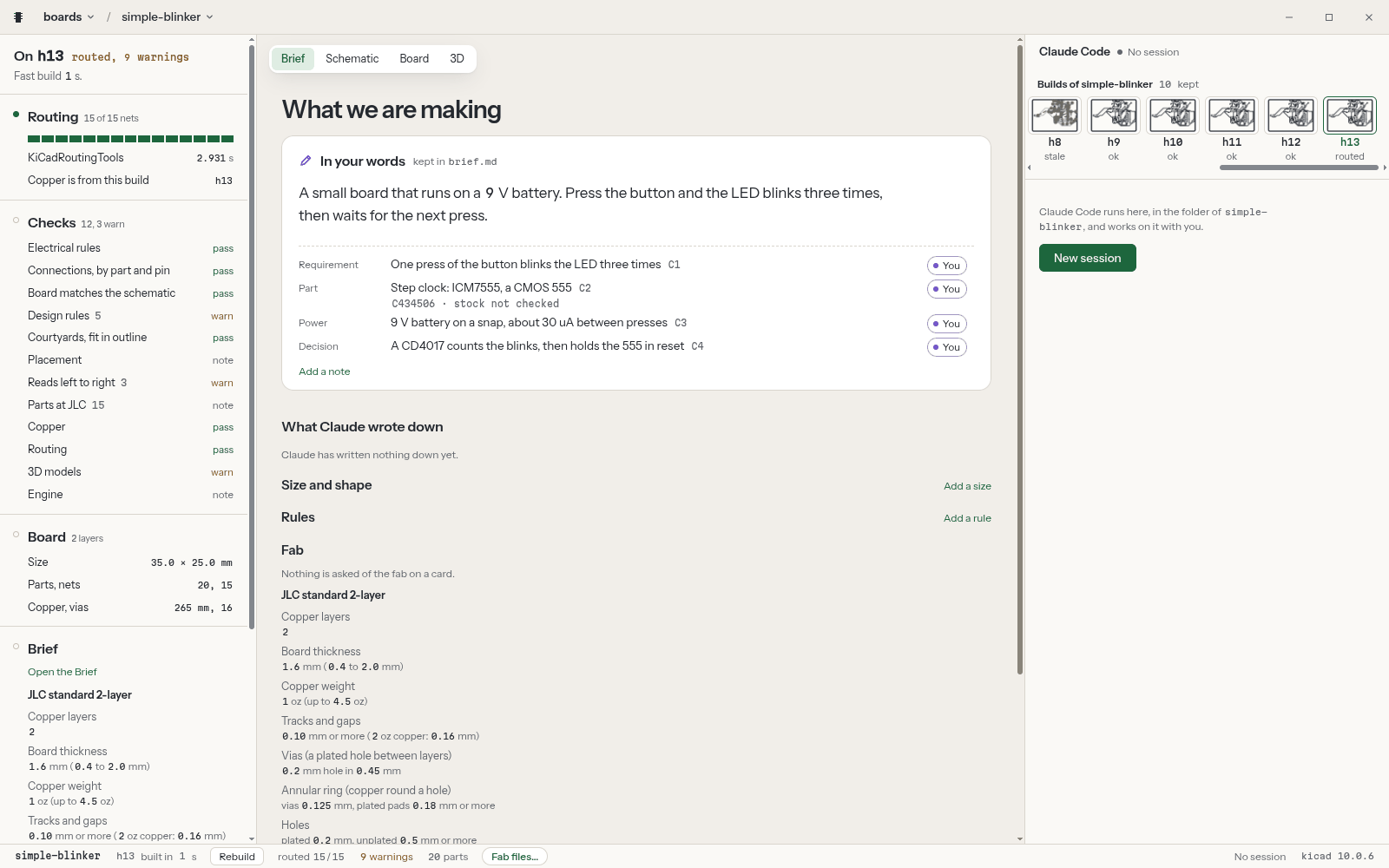
Brief
What the board is for, in your words, with cards for requirements, parts, power and decisions.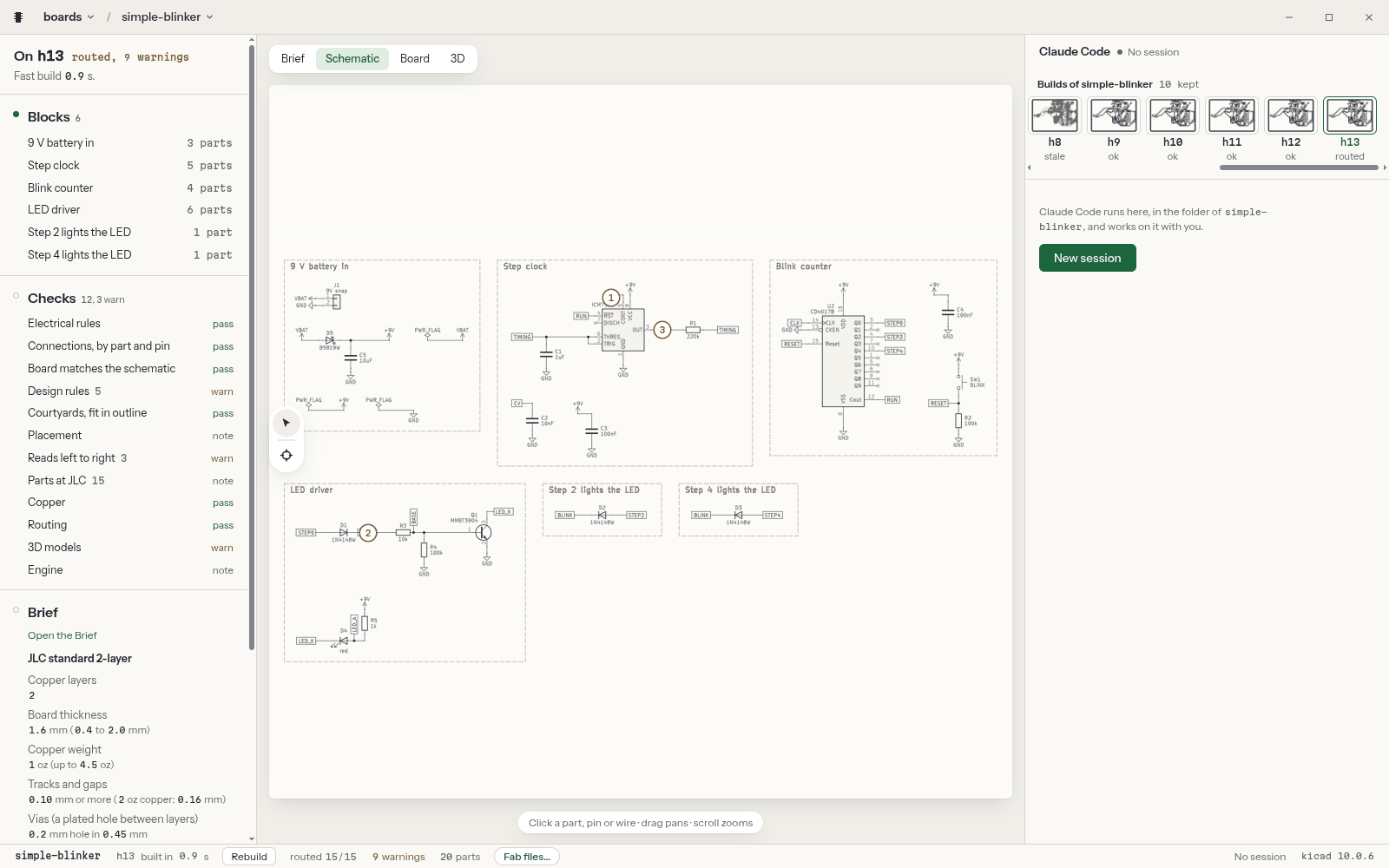
Schematic
KiCad's sheet, redrawn. A part you select stays selected on the Board and in 3D.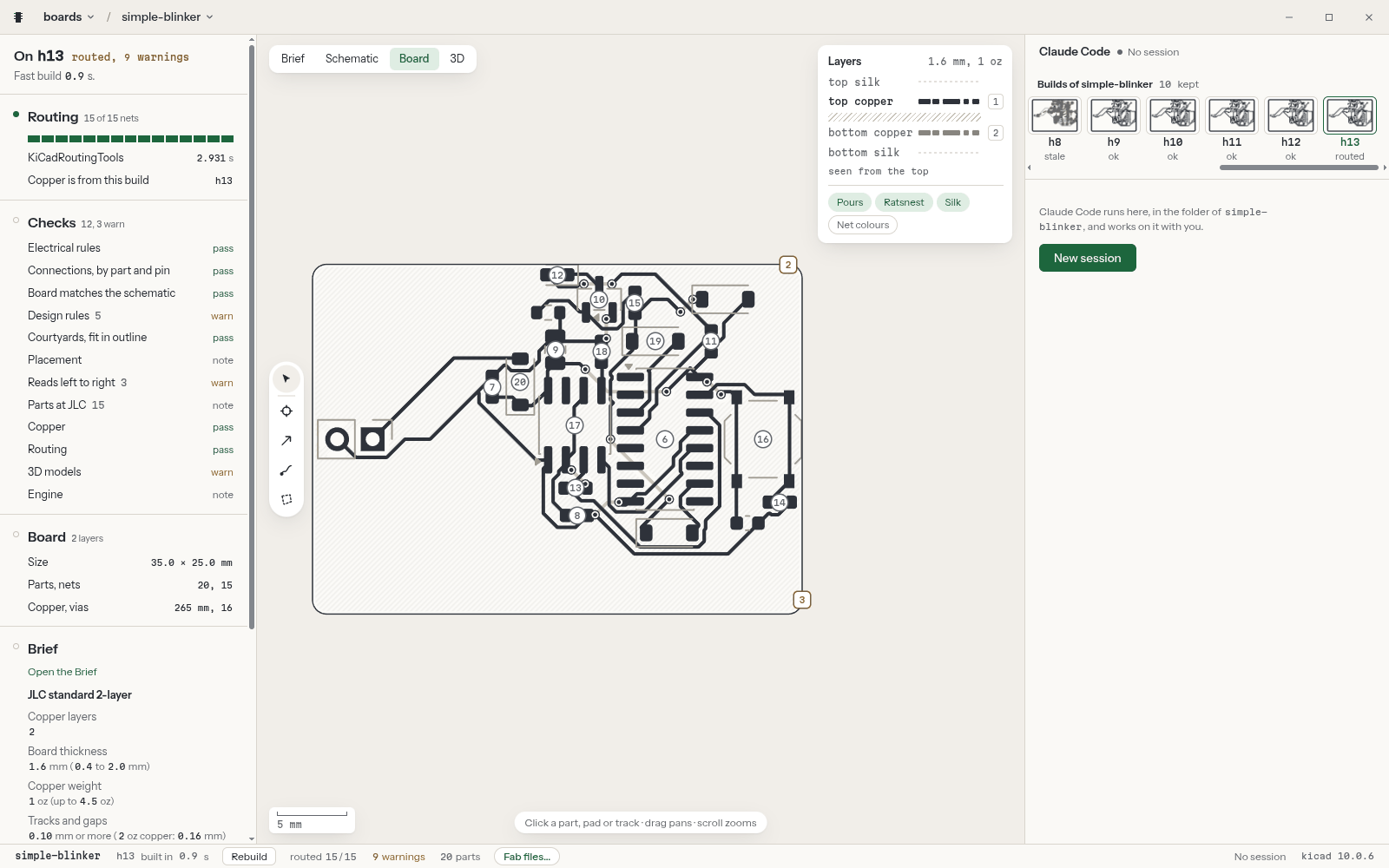
Board
The copper layers as a technical drawing, with net colours as a switch. Routing runs in the background, using KiCadRoutingTools.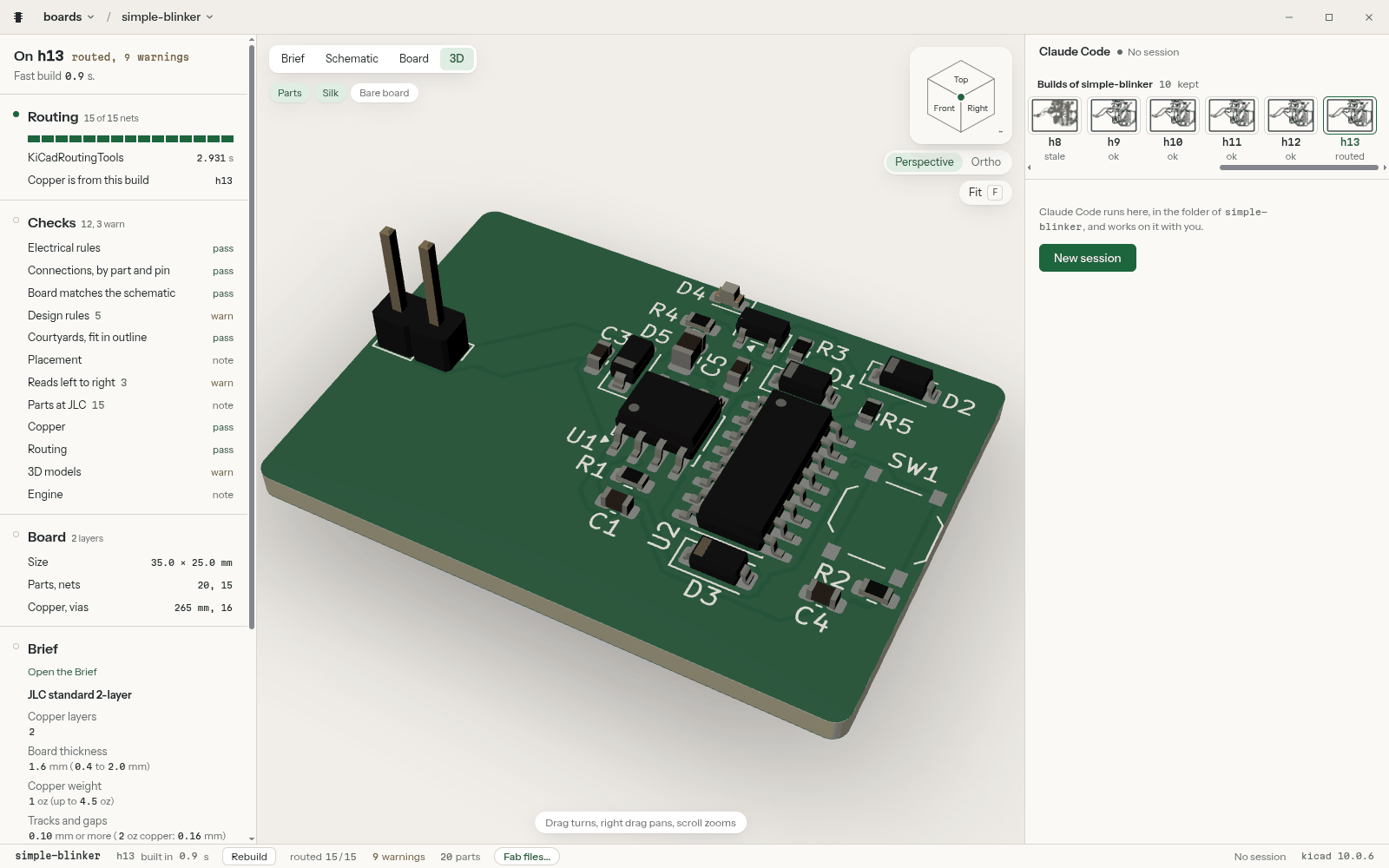
3D
A model of the board, with its parts or bare.What it is for
Small boards
Two or four layers, made for up to about a hundred parts.
JLCPCB parts
Name a part by its LCSC number. pino looks up its stock, its price, and whether JLC calls it basic or extended.
Fab files
Gerbers, drill files, a BOM and a CPL (placement) file, which you upload to JLCPCB yourself. Check every part in JLC's placement preview before you pay.
Linux
pino runs on Linux only. It is developed on Arch with Wayland.
What you need and how to run it
You need
- Linux
- Node.js 22.12 or later, and pnpm
- uv, which runs the engine
- KiCad 10 with its libraries. pino builds from
its symbols and footprints, and its
kicad-cliruns the checks - Claude Code on your
PATH, logged in
Then
git clone https://github.com/luisg0nc/pino.git
cd pino
pnpm install
scripts/pino ~/boardspino checks what it needs on its first screen and says what is missing. The first route installs the router into a cache in your home folder, once.
Links
The repository
The code, the README and the engine's rules. pino is new, so expect rough edges, and open an issue when you find one.
torno
pino's sibling, the same kind of workbench for CAD parts. The two share much of their code.